01
Find the session
Share the one you're in, search every local session in a terminal browser, or ask the agent itself.
overshare publish --current
overshare browse
/share-session brief
  # in Claude Code or pi
overshare turns a Claude Code or pi session into a readable, redacted transcript your team can open in a browser. Published to your own GitHub gists. No server, no account.
Works with Claude Codepi
 OVERSHARE
SESSION RECEIPT · № 5260B8CF
OVERSHARE
SESSION RECEIPT · № 5260B8CF
fix-500-invoices
Claude Code8 prompts
Model calls20
Tokens processed400k
Est. cost$0.811
Redactions
home-path62
known-secret11
secret-pattern2
email2
Final re-scanclean ✓
Published 23.1 KBsecret gist
overshare.link/s/#you/5260b8cf…
Thank you for not oversharing
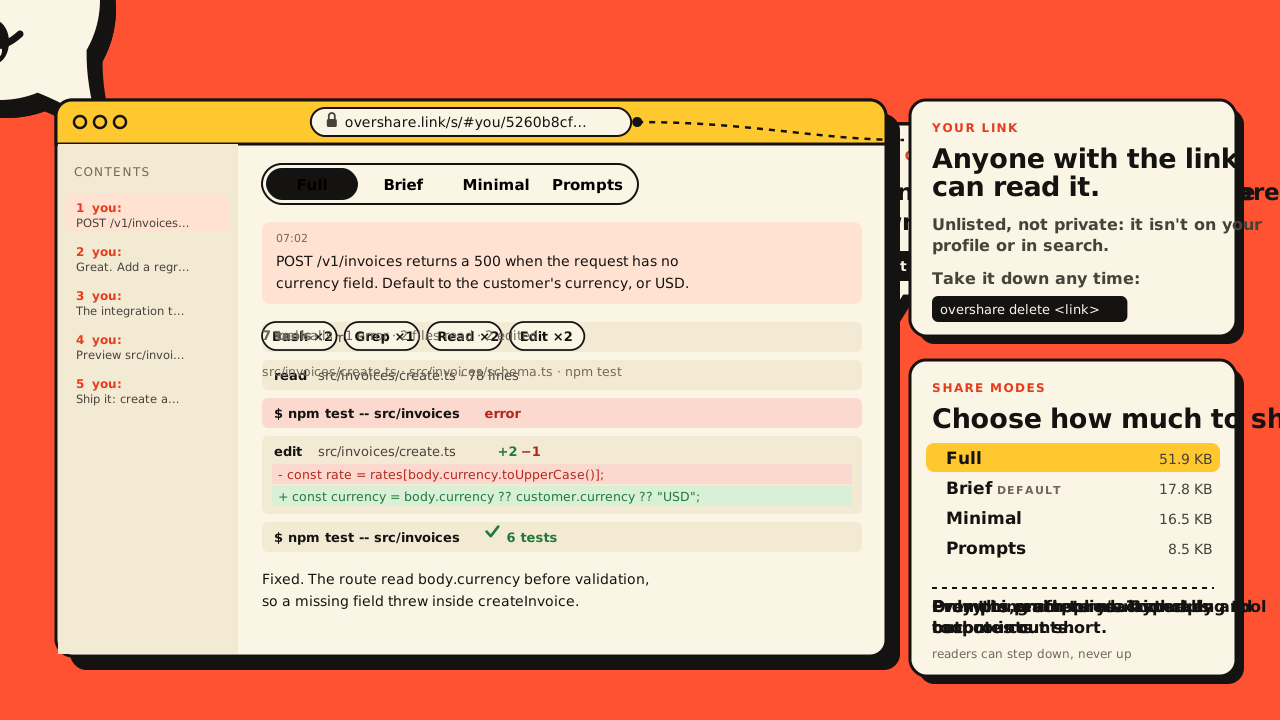
The interesting part of AI-written code is how it got written. Right now that lives in your scrollback, next to your API keys. (hover the bar. overshare would have kept it.)
01 / How it works
Everything runs on your machine. The only thing that leaves it is the redacted share file.
Share the one you're in, search every local session in a terminal browser, or ask the agent itself.
overshare publish --current overshare browse /share-session brief # in Claude Code or pi
A report lists every redaction by rule and location. It never prints the values.
Redactions:
  home-path       17
  known-secret    11  ← review
  email            2
Final re-scan: clean ✓
A secret gist under your account and a link that opens in the viewer.
Publish 23.1 KB to a secret
(unlisted) gist? [y/N] y

Shared: overshare.link/s/#you/5260b8cf…
02 / Modes
Four modes, cut down before redaction and upload. What you leave out is never published.
thinking 180 tok
I'll find where invoice creation resolves the currency.
src/invoices/create.ts · src/invoices/schema.ts · npm test -- src/invoices
7 tools
7 tool calls · 1 error · 2 files read · 2 edited · 180 thinking tok · 3.1k output tok
Fixed. The route dereferenced body.currency before validation, so a missing field threw inside createInvoice.
03 / Redaction
Then the exact bytes are scanned again. If anything is still there, overshare refuses to publish. See it in the example session →
$ cat /home/dana/acme/.env.test
DATABASE_URL=postgres://app:h7Qe2pXr9v@db:5432
STRIPE_SECRET_KEY=sk_live_51Hx9QeLm2…
ANTHROPIC_API_KEY=sk-ant-api03-Zr8…
OPS_CONTACT=dana@acme.dev
$ cat ~/acme/.env.test
DATABASE_URL=postgres://app:[REDACTED:DATABASE_URL_PASSWORD]@db:5432
STRIPE_SECRET_KEY=[REDACTED:STRIPE_SECRET_KEY]
ANTHROPIC_API_KEY=[REDACTED:ANTHROPIC_API_KEY]
OPS_CONTACT=[email]
.env files.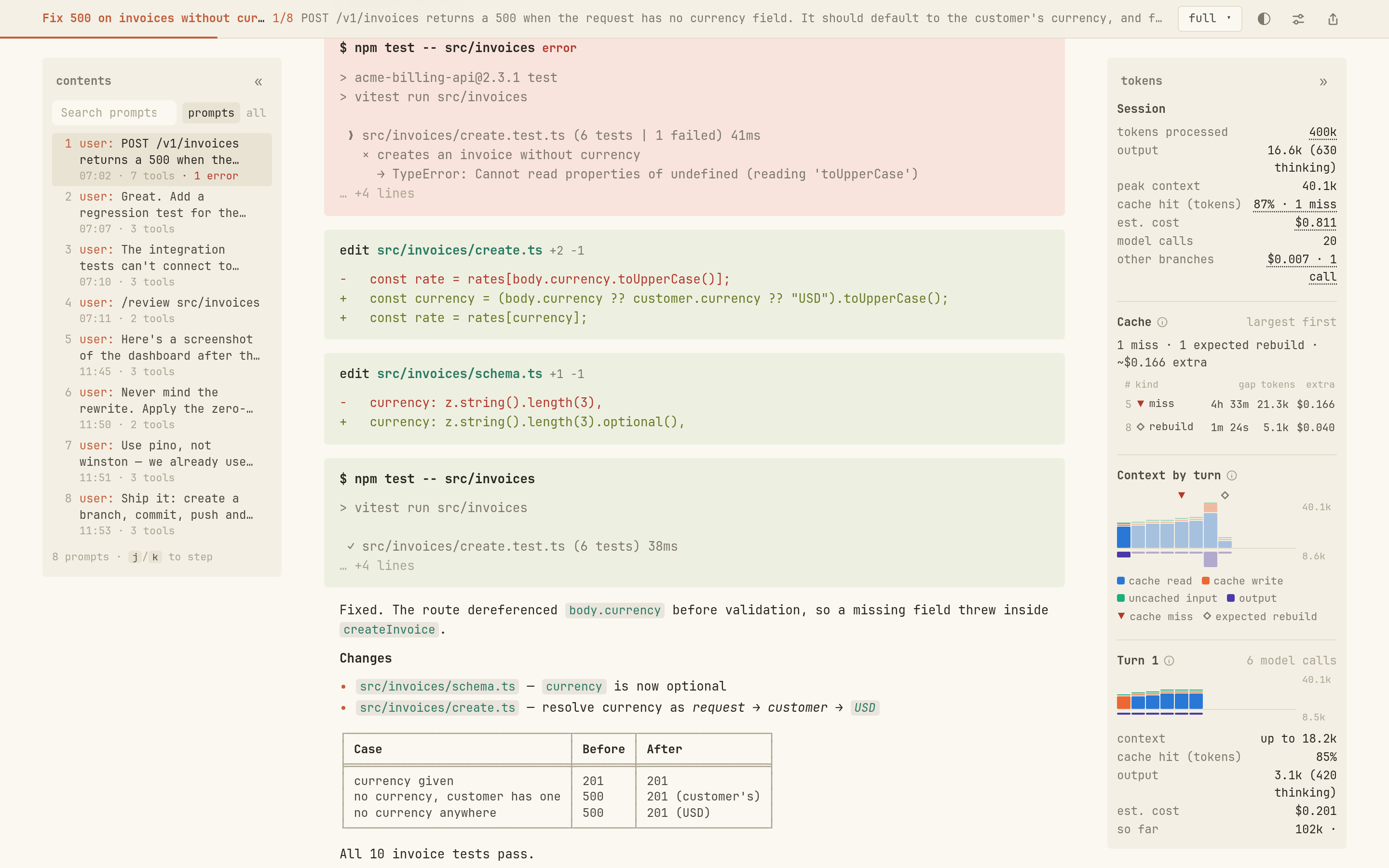 1Contents rail
2Session stats
3Token rail
1Contents rail
2Session stats
3Token rail
04 / Viewer
It reads like the terminal the work happened in, laid out so you can follow it.
05 / Finder
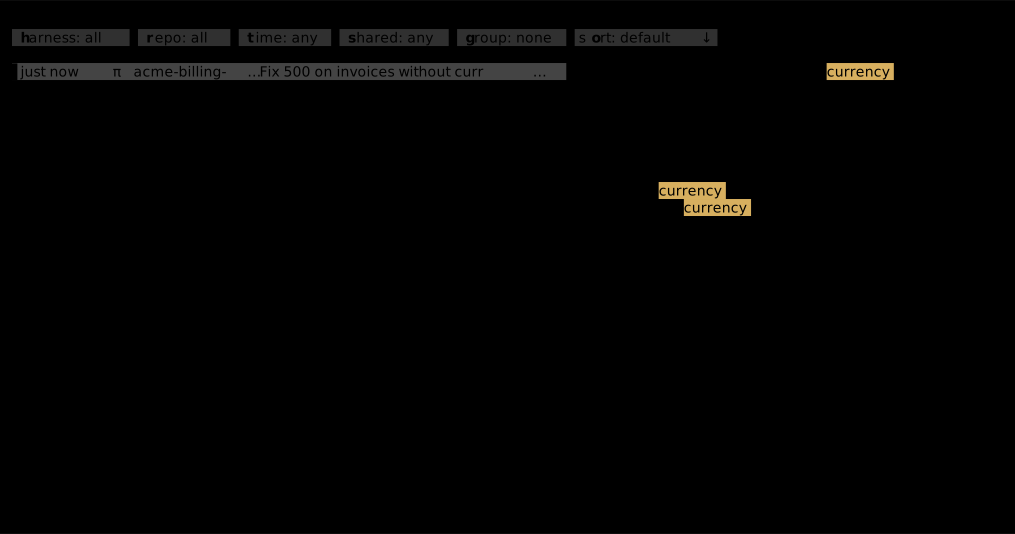
overshare browse is a terminal browser over every local Claude Code and pi session.
p to publish with the same redactionAnyone with the link. Shares are unlisted, not private: a secret gist isn't listed on your profile or in search, but the link is all it takes to read it.
In a secret gist on your own GitHub account, created with the gh CLI. You can use your own public R2 bucket instead. There is no overshare server.
overshare delete <link> deletes the gist, and the link stops working.
No redaction can promise that. overshare layers known values, ~1,100 patterns and PII rules, re-scans the exact bytes, and asks you to confirm when anything was found or looks suspicious. Values with no recognizable format can't be detected, so overshare report tells you which turns to check.
Yes. The viewer is a static page: fork the repo and deploy it anywhere, then point viewerUrl at it.
Claude Code and pi today. Sessions are normalized into one format, so a new harness is an adapter away.